FitSpaceFitSpaceFitSpace
FitSpace author handbook
Open dashboard →Verification & payouts
Verification & payouts
Why verification matters, product moderation, and how you get paid
Three processes are often confused: author identity verification, each product’s moderation, and revisions to an already live course. They are separate below.
Author verification — why
Goal: confirm you are a real author and collect payout details. Without confirmed status:
- you cannot Submit for moderation on a course, plan, or coaching offer;
- payouts to your account are not set up.
This is not a “quality rating” of your workouts — that happens at product moderation.
Where to complete it
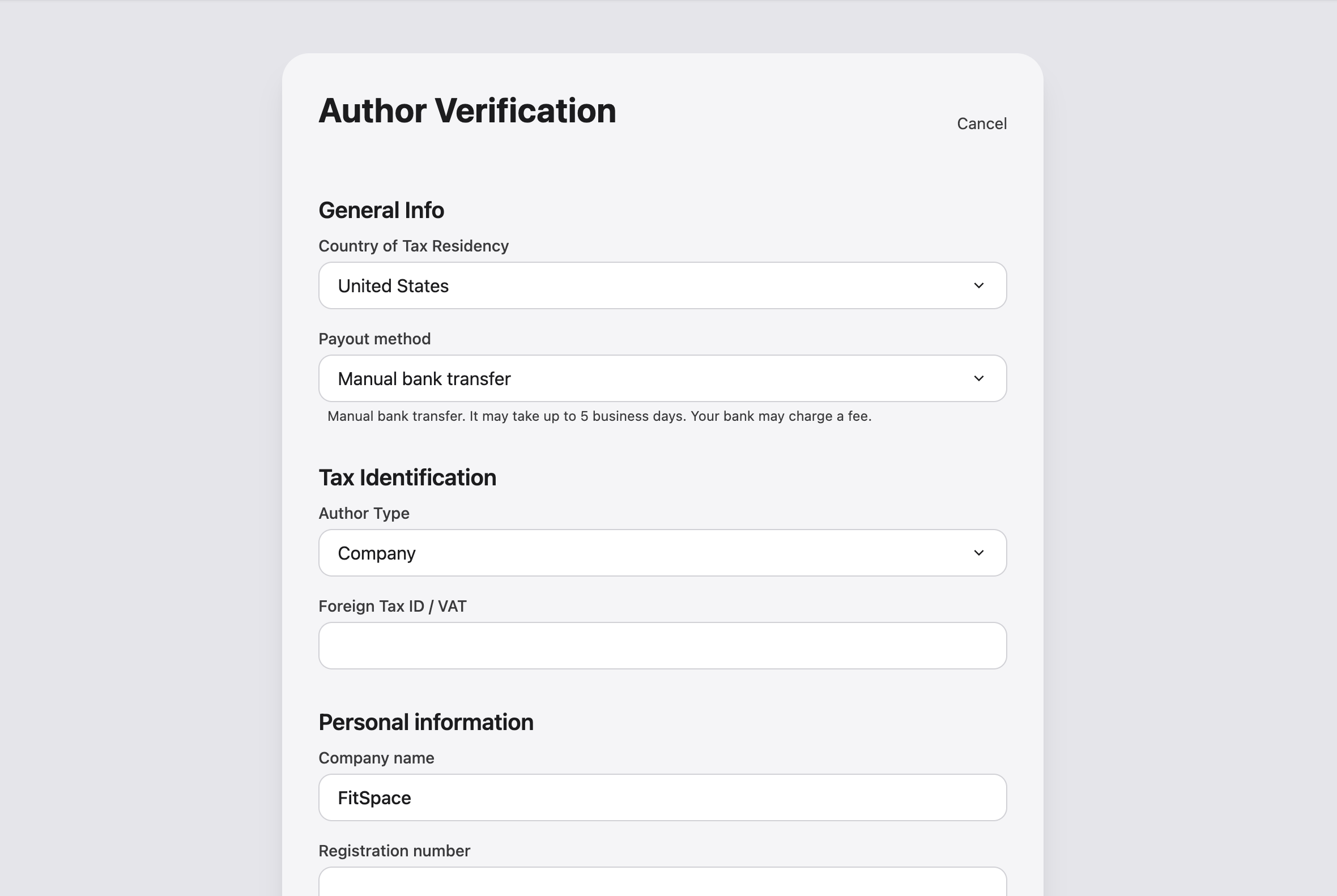
Author verification — from Account Edit author account or onboarding.
Typical sections (exact fields depend on country and payout method):
- Legal name / company, contacts;
- identity documents;
- payout method — Stripe or manual transfer (fields change in the form);
- bank or payment details.
Statuses
| Dashboard status | Action |
|---|---|
| Not submitted | Complete and submit the form |
| Under review | Wait; usually a few business days |
| Confirmed | You can publish and receive payouts |
| Rejected | Read the comment, fix data, resubmit |
Product moderation (course, plan, coaching)
Separate from verification, each product is reviewed for content and pricing.
| Status | You | Buyer |
|---|---|---|
| Draft | Full editing | Does not see it |
| Under review | Wait; can withdraw | Does not see it |
| Approved | In catalog; further course edits via revision | Can purchase |
| Rejected | Comment on the product page | Does not see it |
| Archived | Off the storefront | Usually cannot buy (existing buyers per access rules) |
Do not confuse with revision: a revision is a draft of the next version of an approved course while the catalog still shows the current one.
Course revisions (short)
Only for approved courses. Details: Revisions & moderation.
- Edit a live course → changes accumulate in a revision draft.
- Submit revision for moderation → after approval the catalog updates.
Payouts
Payouts in the author dashboard.
How it works
- Buyers pay on FitSpace (cards, including international) — you don’t need your own merchant account.
- After each sale your share sits on hold before it becomes available for the next payout batch:
- 14 calendar days for card, YooKassa, and Stripe (agent) sales — matching FitSpace’s voluntary refund if the buyer has not started using the product;
- 45 days for App Store and Google Play in-app purchases.
- Once available, earnings are included in the next admin payout batch (not automatically the same day). Minimum payout is $10 or ₽1,000.
- Stripe Connect authors may see a paid payout immediately for those charges — they appear in the payout history list.
- The list shows amount, status, and period; download a receipt if attached.
- Refunds issued after a payout was sent are deducted from a later batch.
What affects your amount
- Product price and number of sales in the period.
- Platform commission (often around 30% at signup — exact rate in your dashboard and Author agreement).
- Payment processing fees.
Custom terms — contact or support chat in Account.
Summary: three processes
| Process | Subject | Outcome |
|---|---|---|
| Verification | You as author | Right to publish and get paid |
| Product moderation | Course / plan / coaching | Catalog listing |
| Revision | Approved course | Update without breaking the live version |
Common mistakes
- Expecting payout the day of the first sale — check On hold, Available, and Payout history in the dashboard.
- Mixing verification rejected with course rejected — different comments in different places.
- Changing price on a live course without a revision — edits go through revision workflow.