FitSpaceFitSpaceFitSpace
FitSpace author handbook
Open dashboard →Getting started
Getting started
From sign-up to first sale: what to do step by step and why
This page is a short route for new authors. For screenshots and the full walkthrough see the Trainer guide; deeper topics are in the sidebar.
Why FitSpace for trainers
FitSpace is where you sell digital products: programs, video courses, and meal plans. Buyers pay per product; a platform-wide subscription is not required.
You get:
- a storefront and card payments;
- content moderation (quality and safety);
- student chat (if enabled on the course);
- analytics and payouts after verification.
What you can sell
| Product | Audience | Main content |
|---|---|---|
| Course | Mass market | Workout videos, schedule, optional PDFs and chat |
| Meal plan | Nutrition goals | Days and meals, calories and macros |
| Coaching | 1:1 | Assignments, chat, personal contact |
You can start with one type and add others later.
Timeline: zero to first sale
Day 1–2   → Become an author + verification
Day 3–7   → Create a product (program / video course / meal plan)
Day 7+    → Submit for moderation → approval → catalog
After     → Chat replies, revisions for edits, periodic payouts
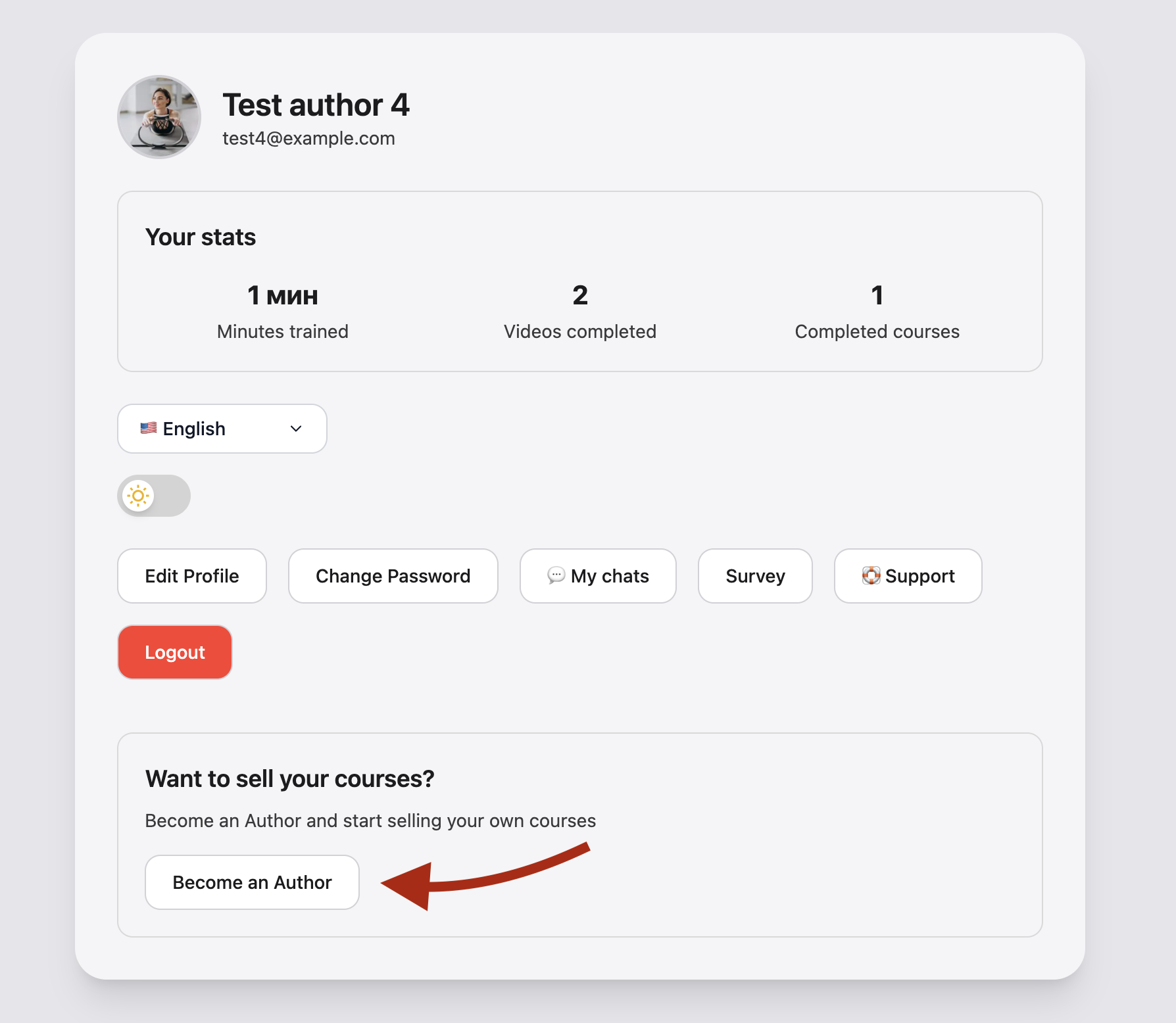
1. Become an author
- Sign in at fitspace.app or the FitSpace app.
- Open /landing or Become an author in Account.
- Accept the Author agreement — you’ll get the dashboard and onboarding steps in Account.
2. Verification (required to publish)
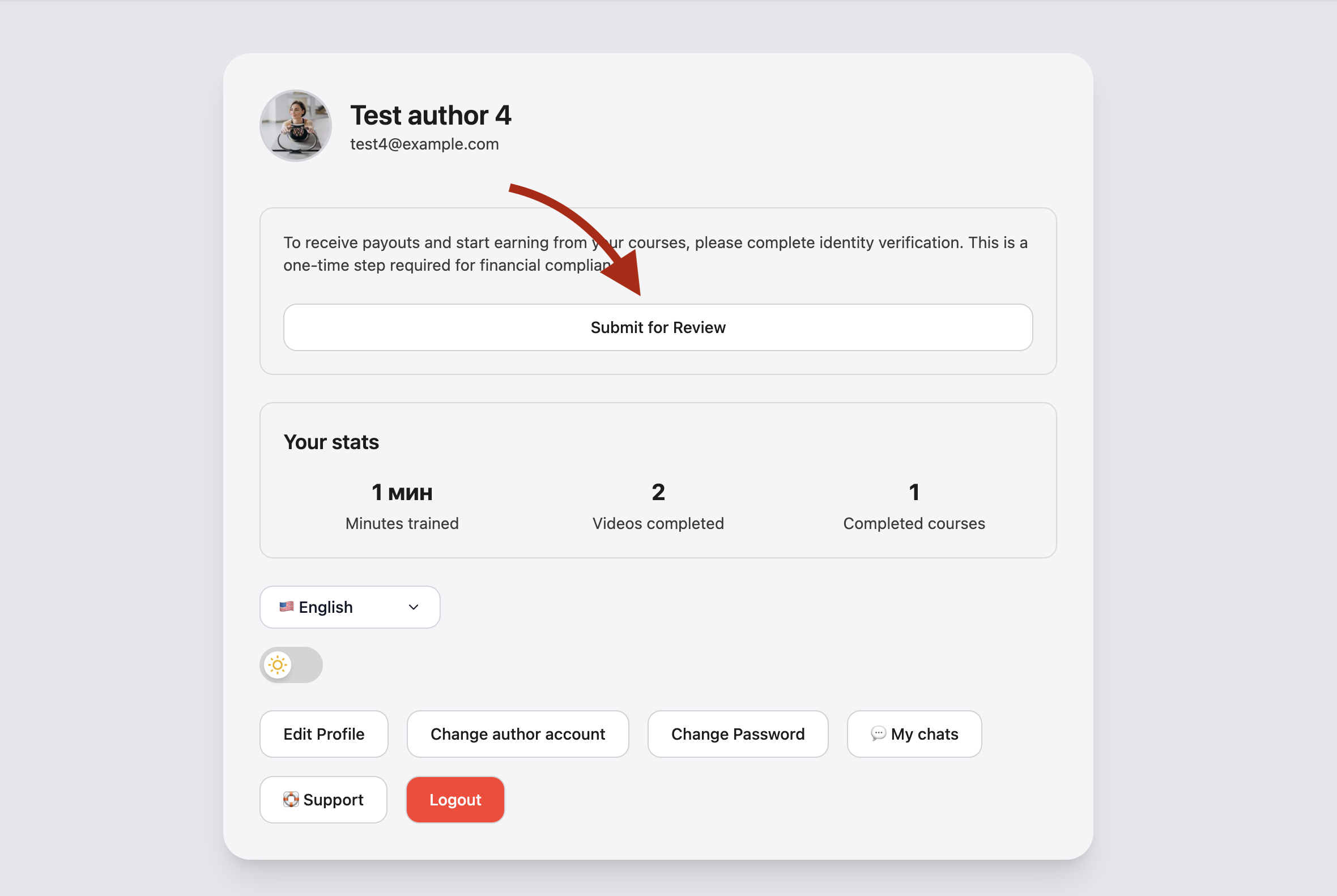
Why: without confirmed verification you cannot submit products for moderation or receive payouts. This protects buyers and meets payment rules.
- Open Author verification — ID/tax details and payout details (Stripe or manual — see the form).
- Statuses: not submitted → under review → confirmed or rejected (reason in the dashboard).
Details: Verification & payouts.
3. Create your first product
On the dashboard click Create and pick a type:
| Type | Link |
|---|---|
| Course | Create course |
| Meal plan | Create meal plan |
| Program | Create program |
Course minimum: title, description, price, cover image, at least one workout video. Videos and schedule: Videos & library; card fields: Create & edit.
4. Submit for moderation
On the product page, in author actions:
- Submit for moderation — admin review starts.
- While under review, you can withdraw and edit.
- After approval the product appears in the catalog.
| You | Buyer |
|---|---|
| See all statuses and rejection comments | Sees only approved products |
5. After launch
- Statistics — views and purchases.
- Chat with buyers if enabled: Course chat.
- Edits to a live course go through a revision: Revisions & moderation.
- Payouts — batched by period, not per single sale.
Common mistakes
- Submitting before confirmed verification — button stays disabled.
- Course with no videos — moderation will fail.
- Expecting payout the day of the first sale — payouts are batched by the platform.
- Editing an approved course expecting instant catalog changes — use a revision.
Next steps
- Courses overview
- FAQ
- Trainer guide — full illustrated guide