FitSpaceFitSpaceFitSpace
FitSpace author handbook
Open dashboard →Coach's guide
Coach's guide
Full illustrated handbook: from sign-up to publishing your course and payouts.
🔹 What is FitSpace?
FitSpace is an international platform where fitness coaches can:
- post and sell your courses using the built-in editor
- translate courses (text and video) to up to 29 languages via built-in AI voice translator to spread your knowledges
- Promote themselves as a brand and make big sales worldwide
- Monitor their rankings, track engagement and conversion statistics
- Track your earnings with metrics and transparent payments
💸 How earning works
- Payment model: one-time purchase
- Your share: up to 90% of the course price
- Payouts: automatic, within 7 days after the funds are credited to the platform account.
- You control: price, structure, access
📦 What you can download
- Training videos #protected streaming
- Title and description
- Choose available languages
- Cover art and previews
- Additional materials: checklists, PDFs, meal plans#future meals
- Geo location of course location #if applicable
- Chat with students
🚀 How to launch the course
- Register at fitspace.app or through the app https://apps.apple.com/app/id6745267698
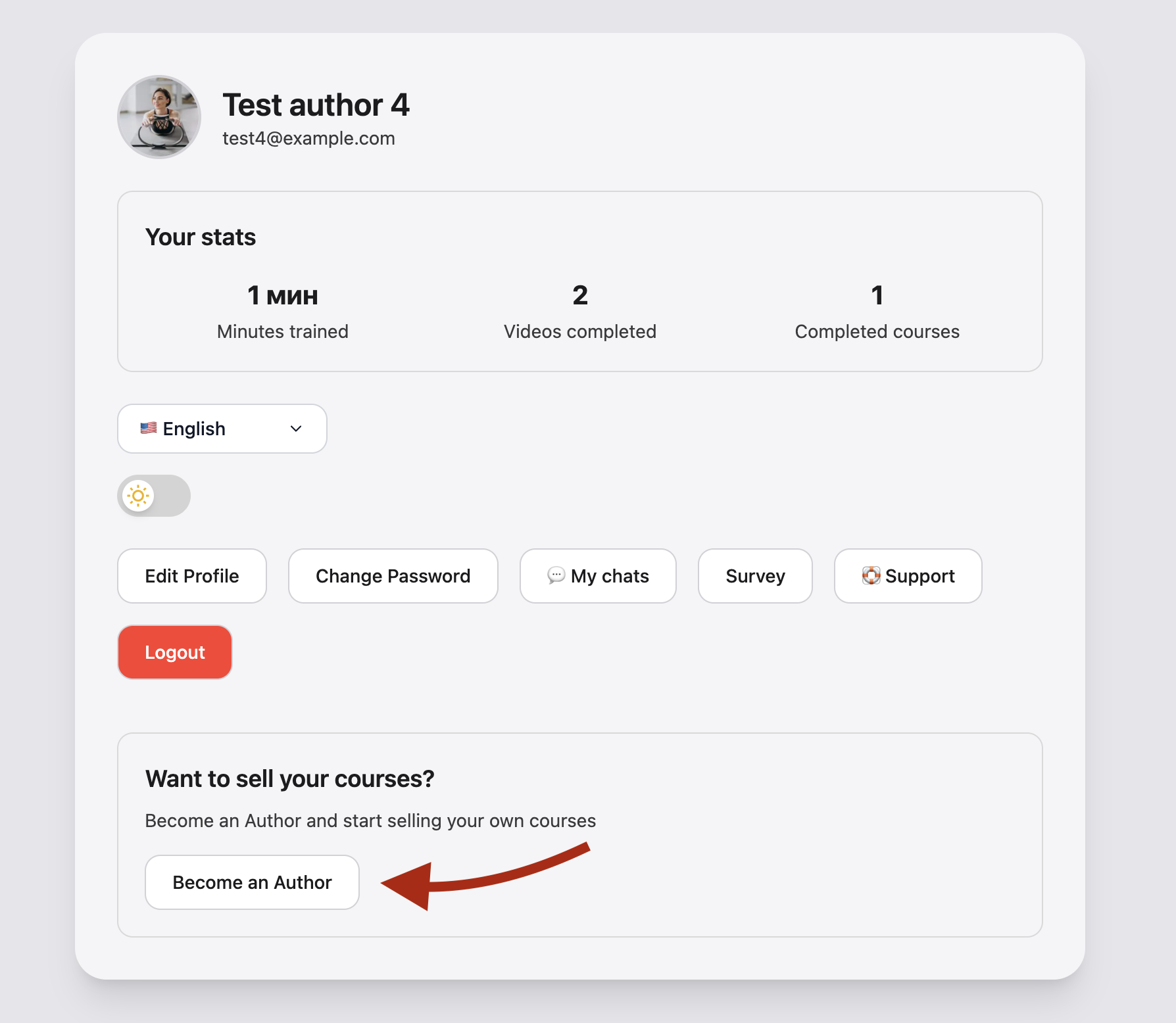
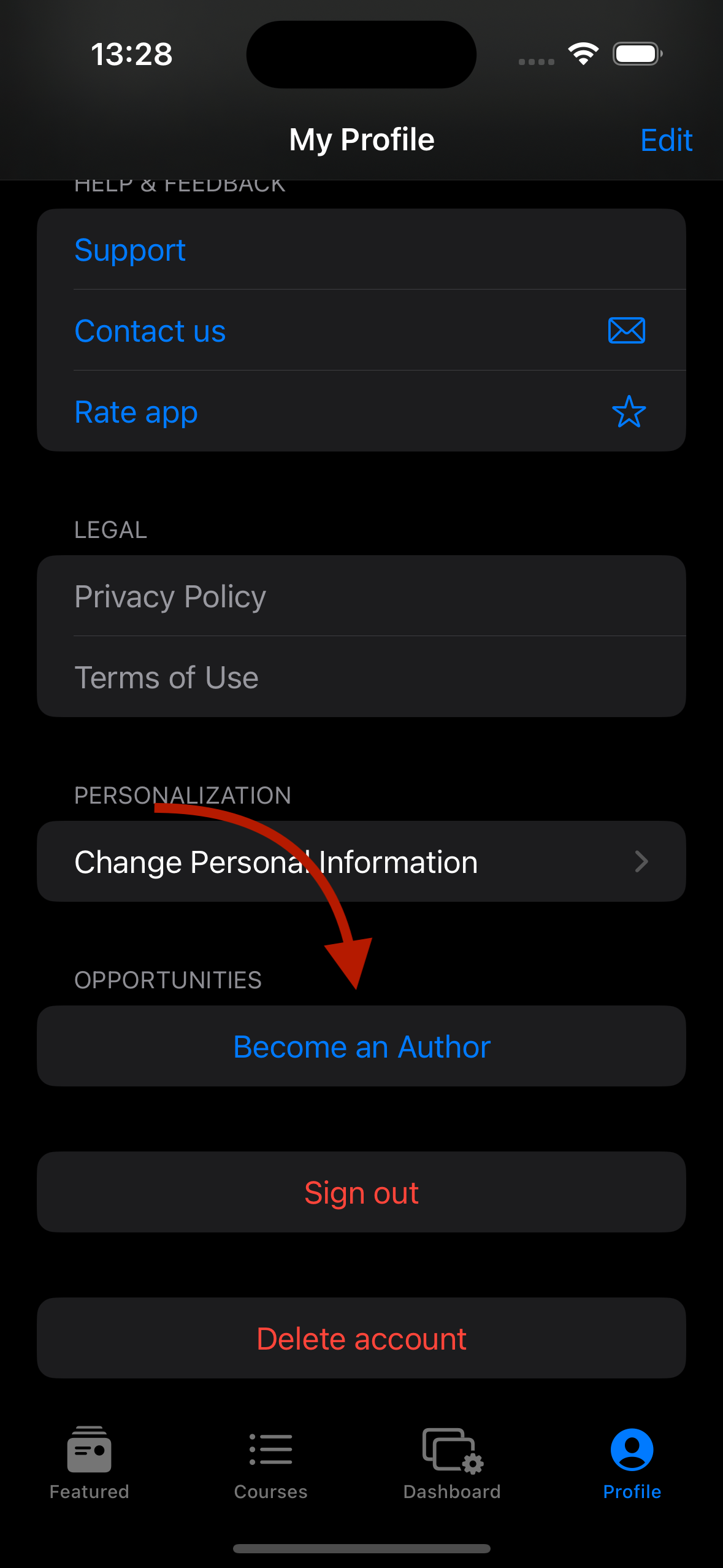
- Go to your profile, At the bottom of your profile page you will see a "Become an Author" button, Read the terms and conditions and accept them if you agree to them
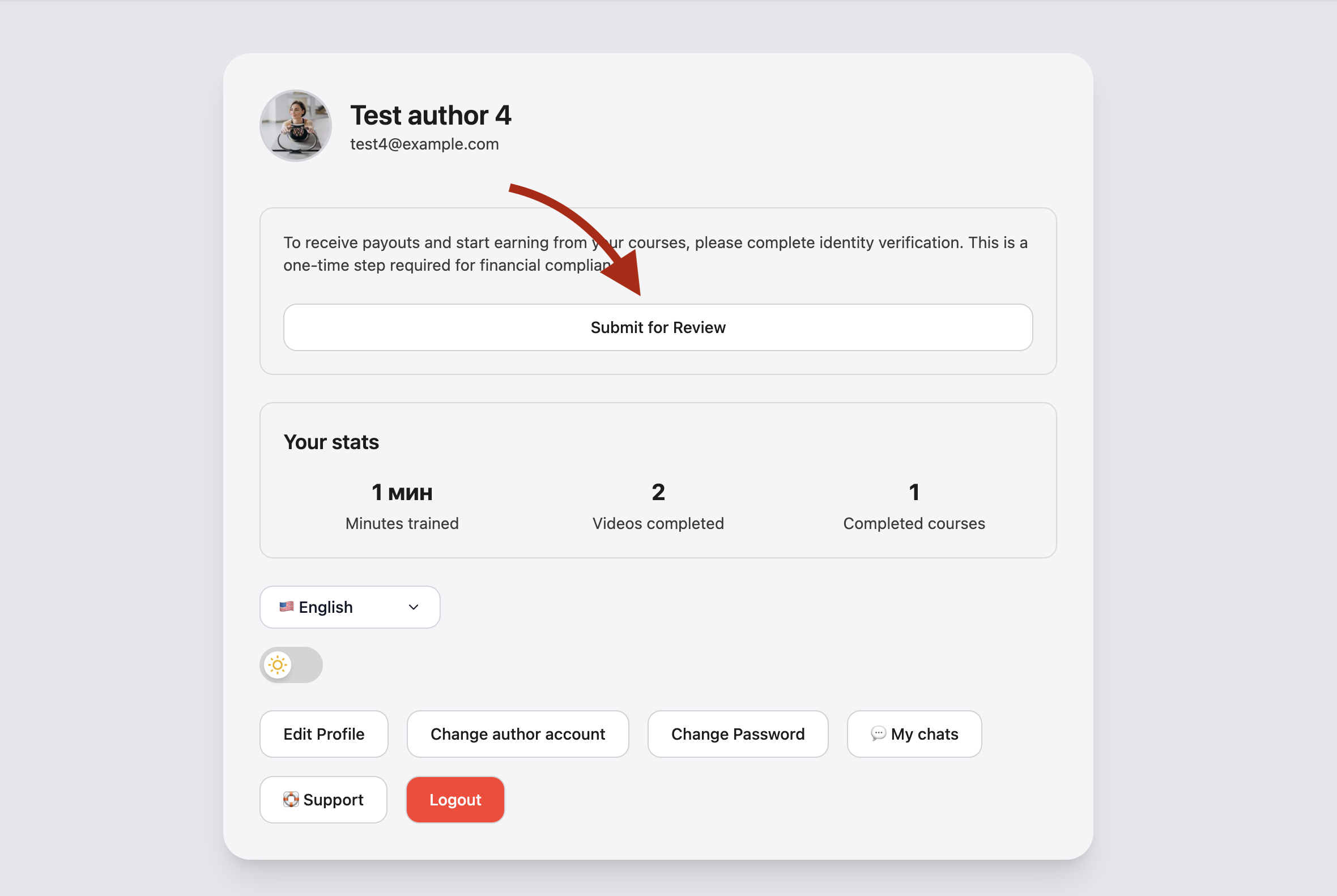
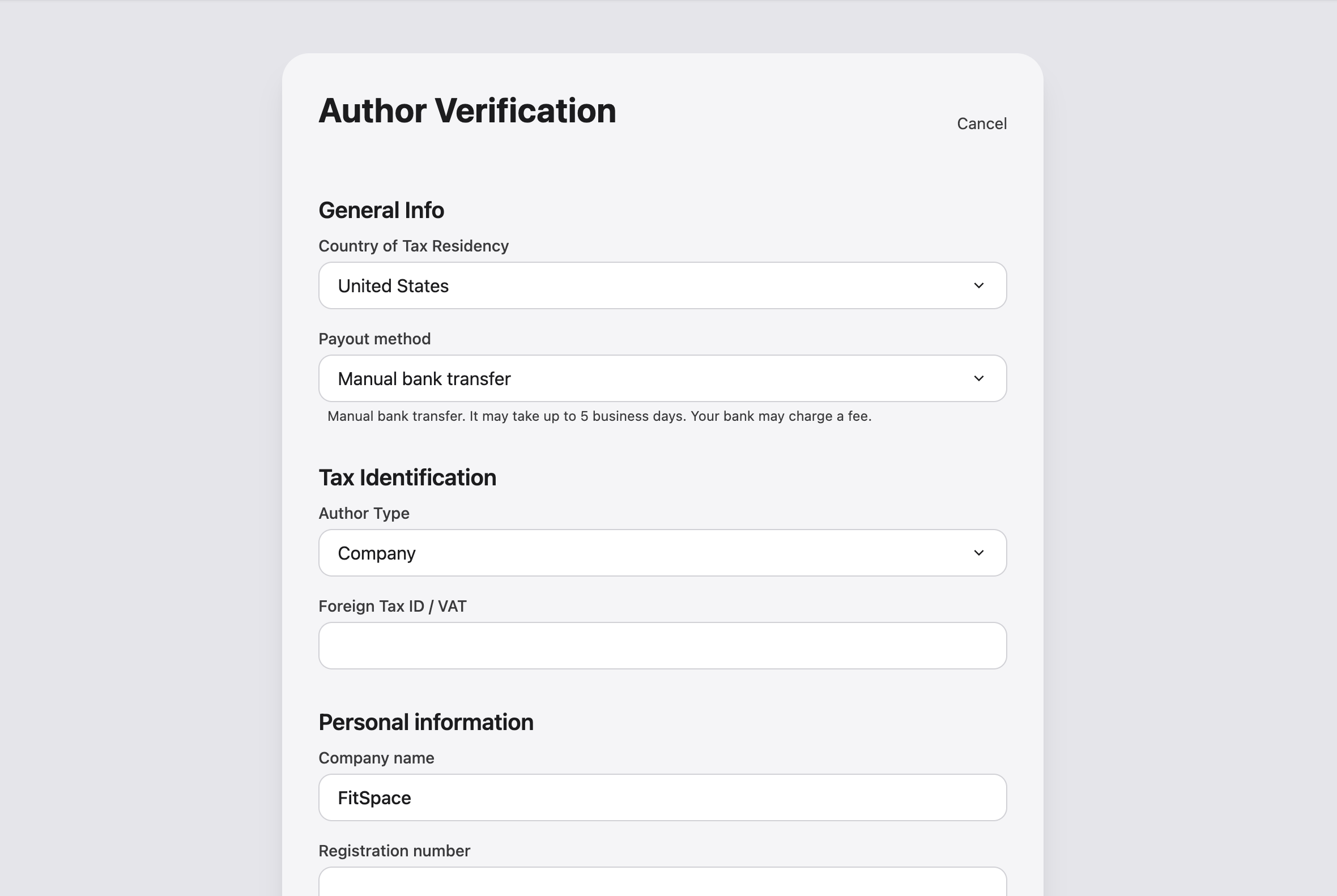
- On the profile page you will see a button "submit verification", Fill in your details and submit for moderation #this step is necessary to make payments and ensure that no one fakes your account.
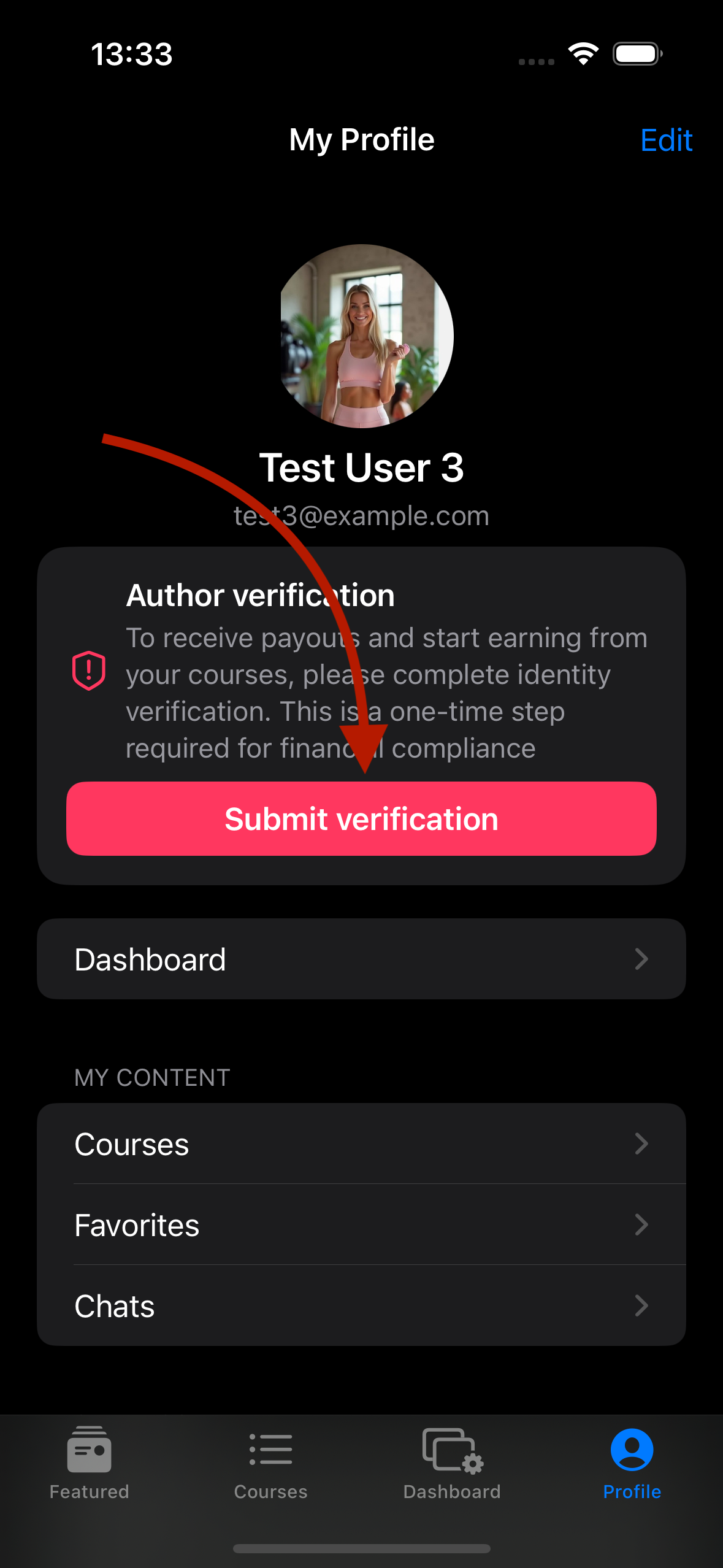
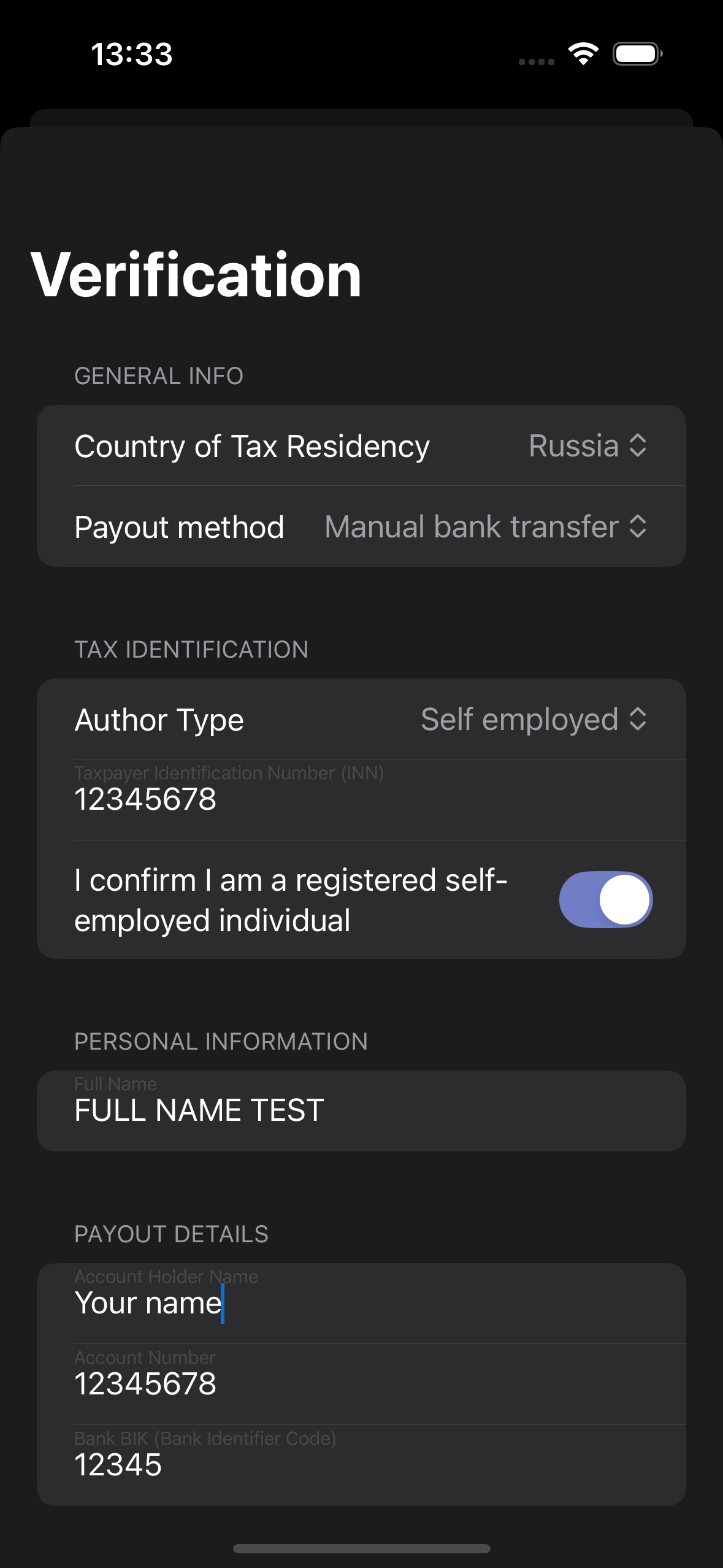
- After you pass moderation - you will have a "dashboard" page where you can "create a course".
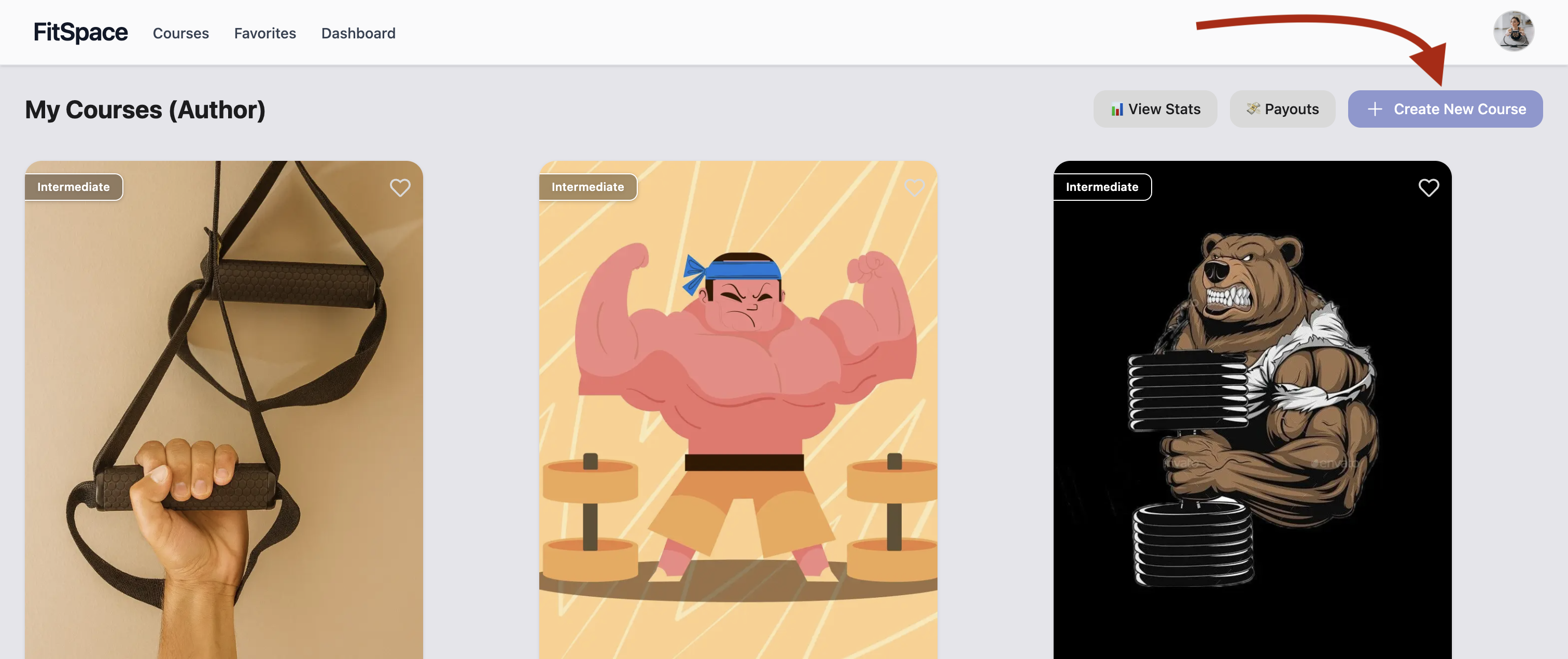
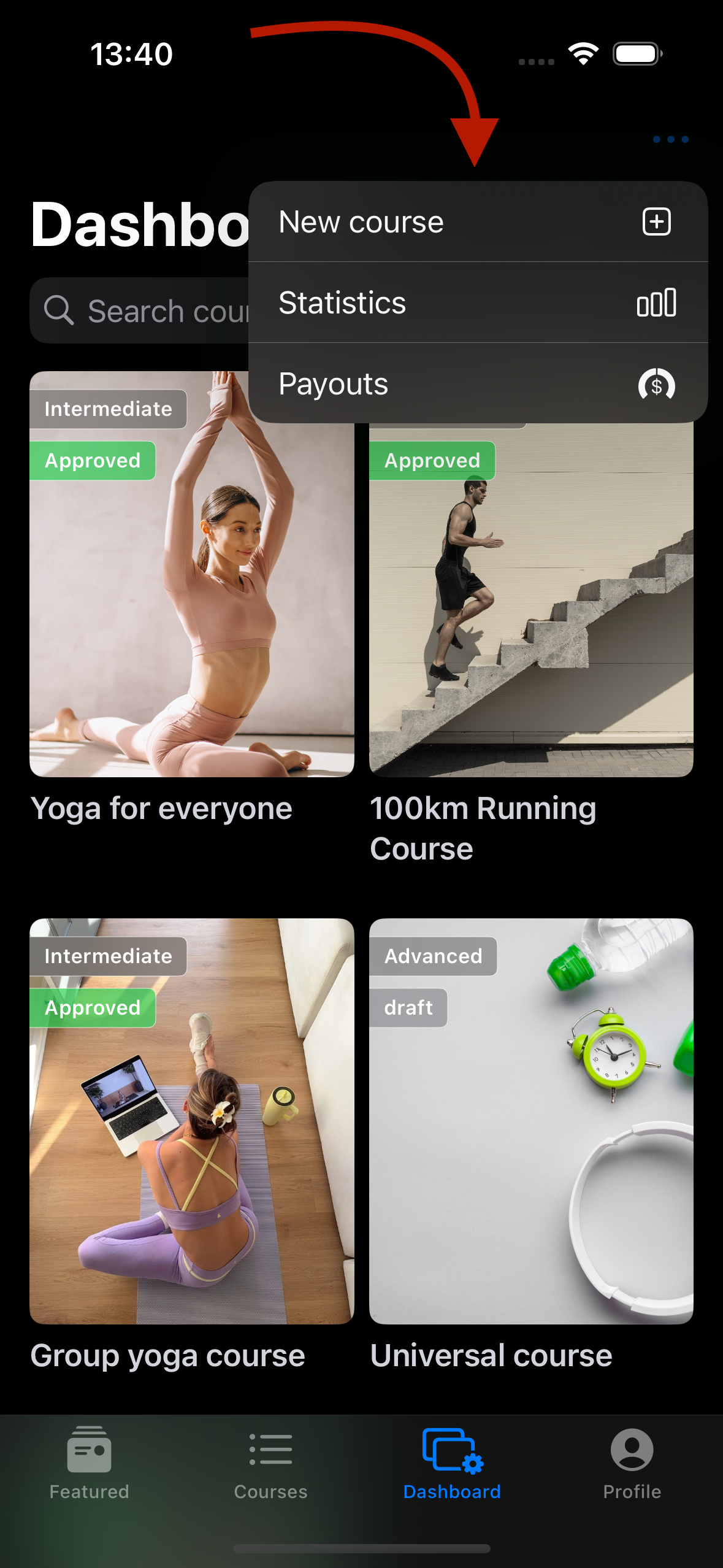
- Choose your course language, price and currency, location (if you have an offline course) where you want to accept payment, title and heading, and course metadata so that users will find relevant courses, add a cover (max. 5) and save #all this information you can change at any time.
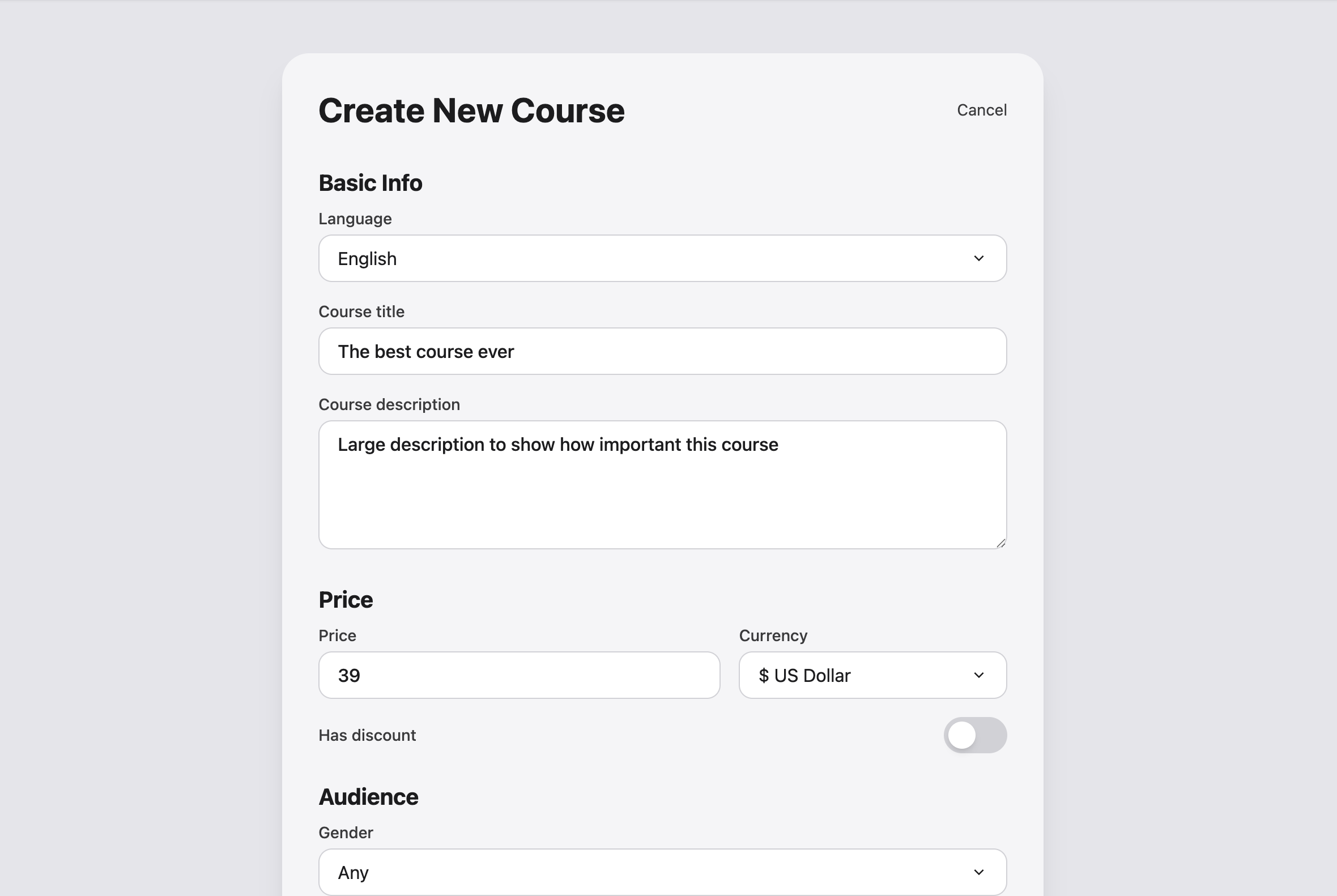
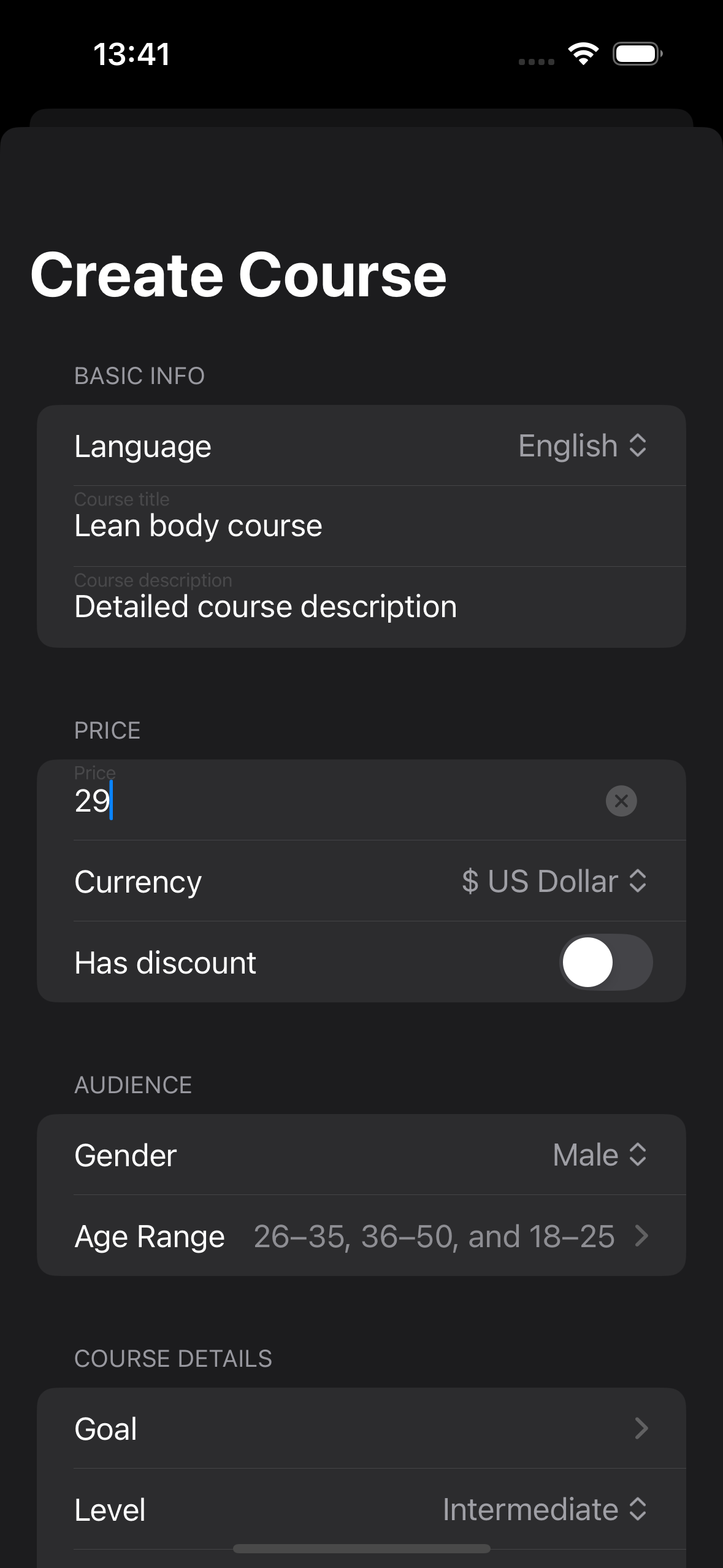
- Next click "Add Training Video", here you can add videos with title, description and blocks ( e.g. 1 day, time of day: morning), this will make it easier for the user to understand the training structure of the course, once you have added all the videos save them (this may take time depending on the amount of material).
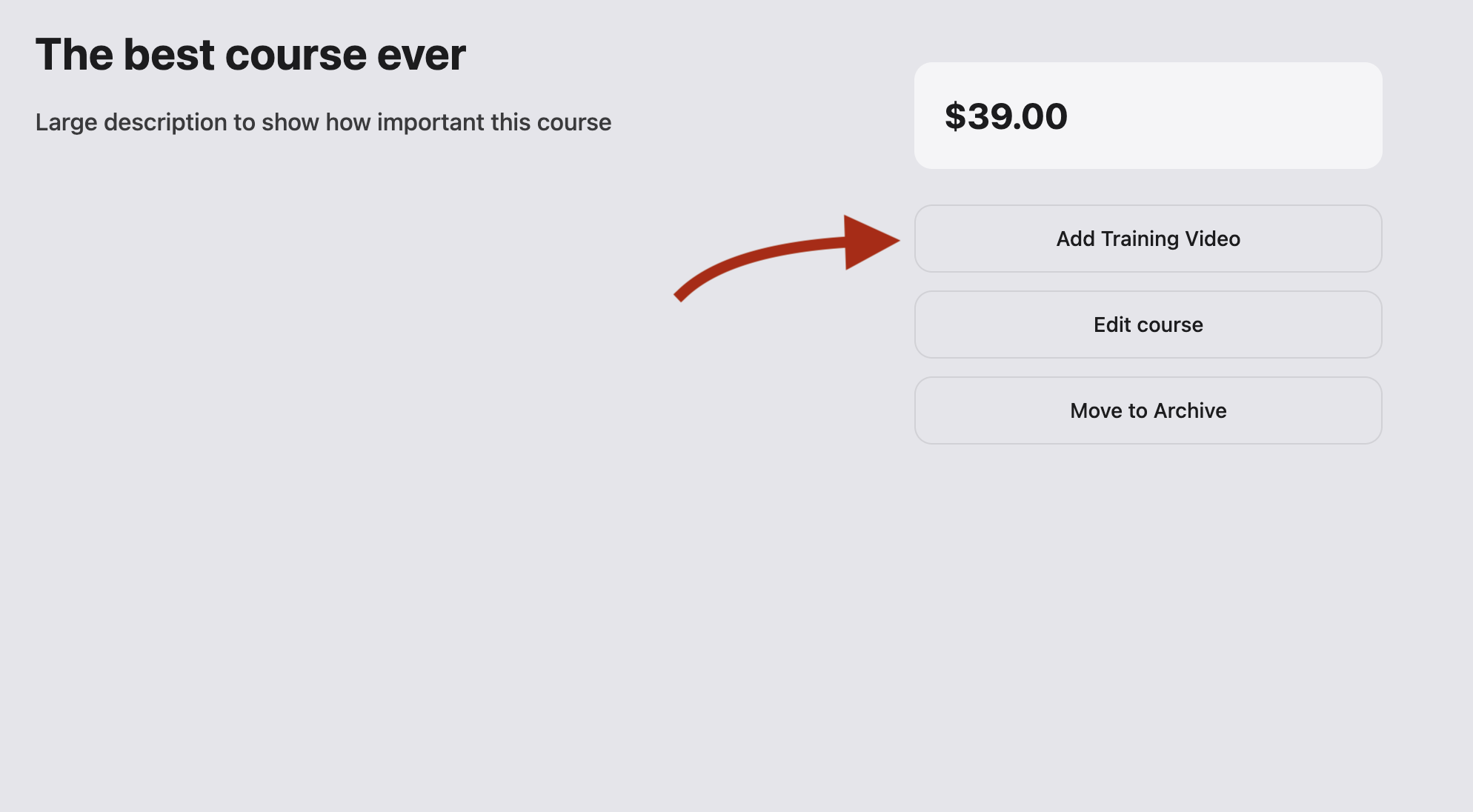
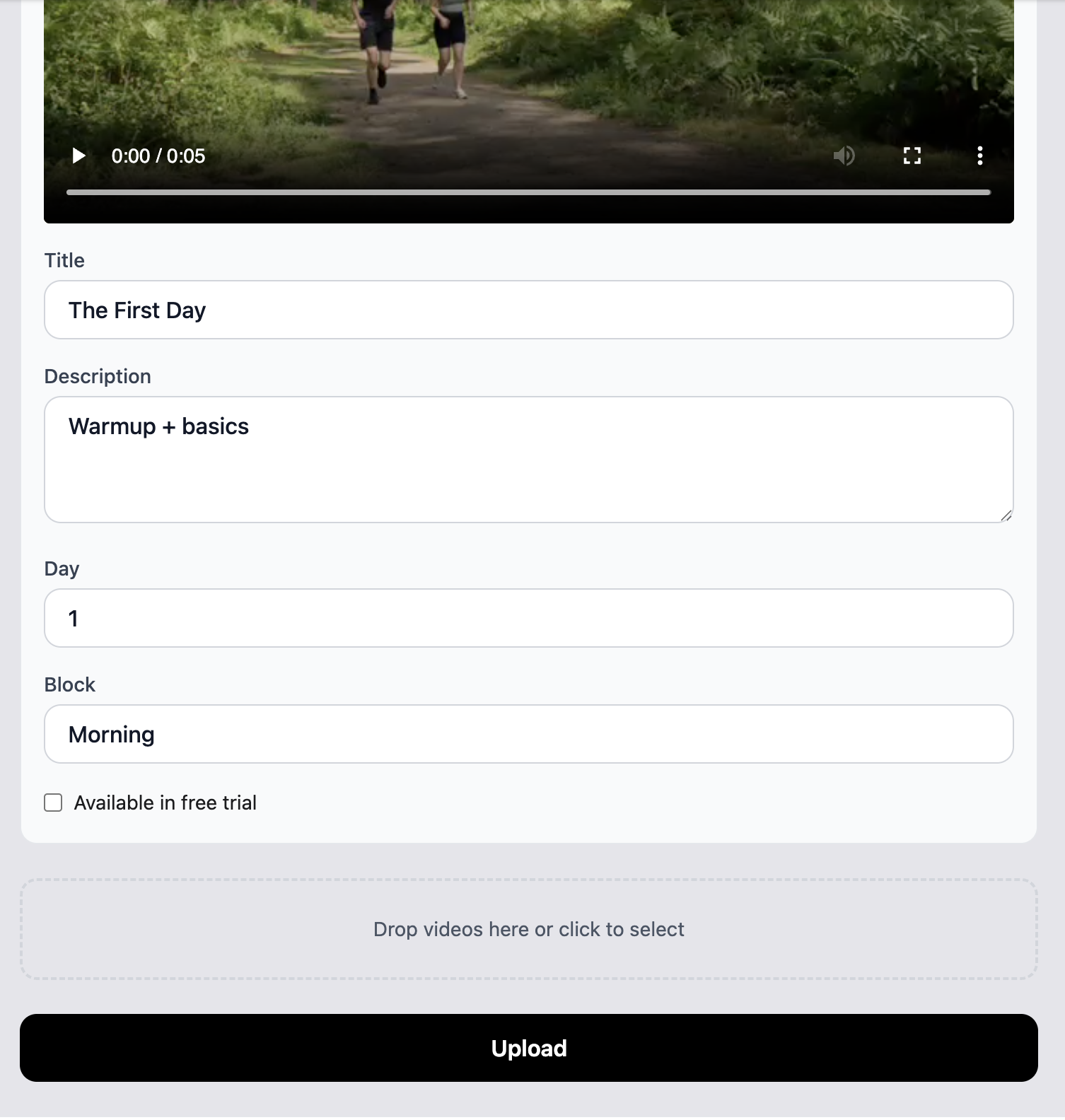
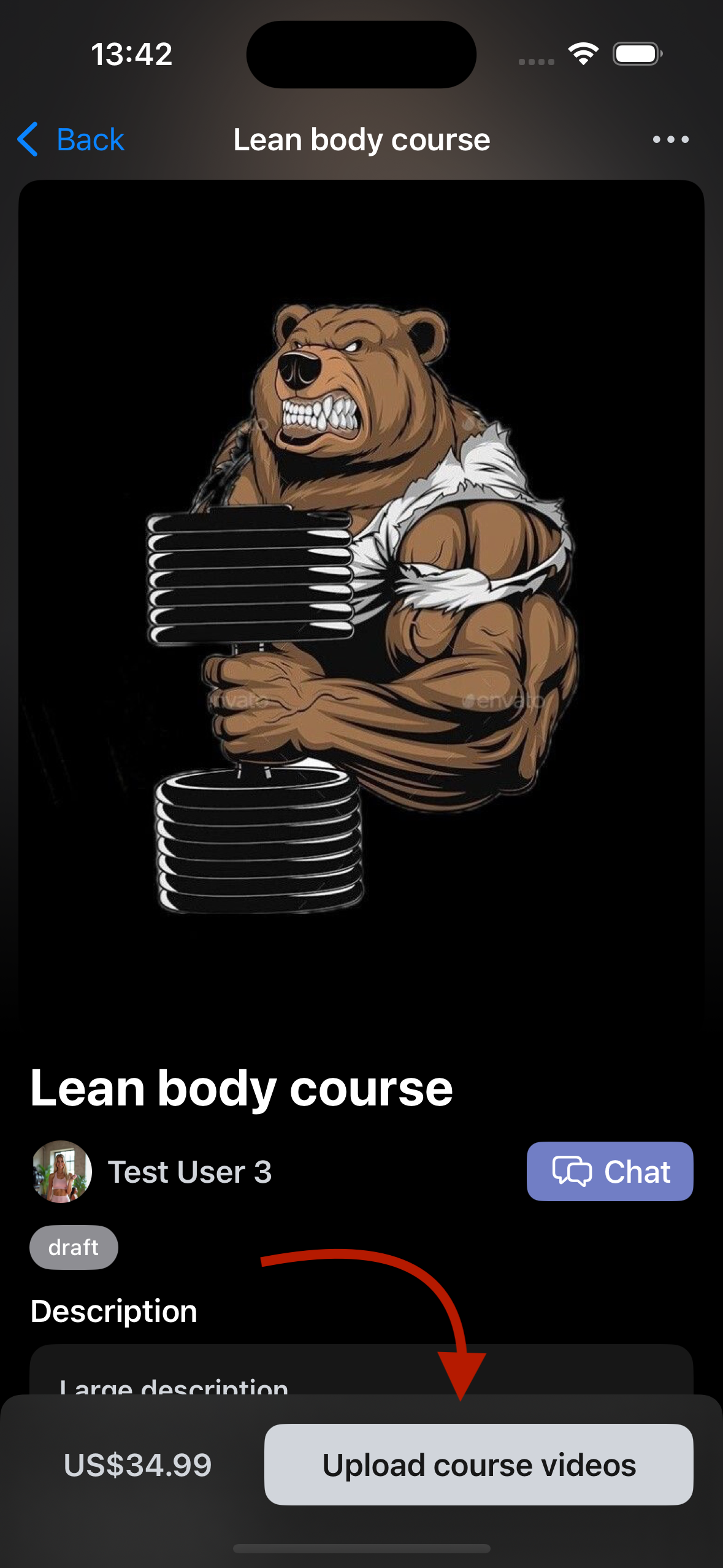
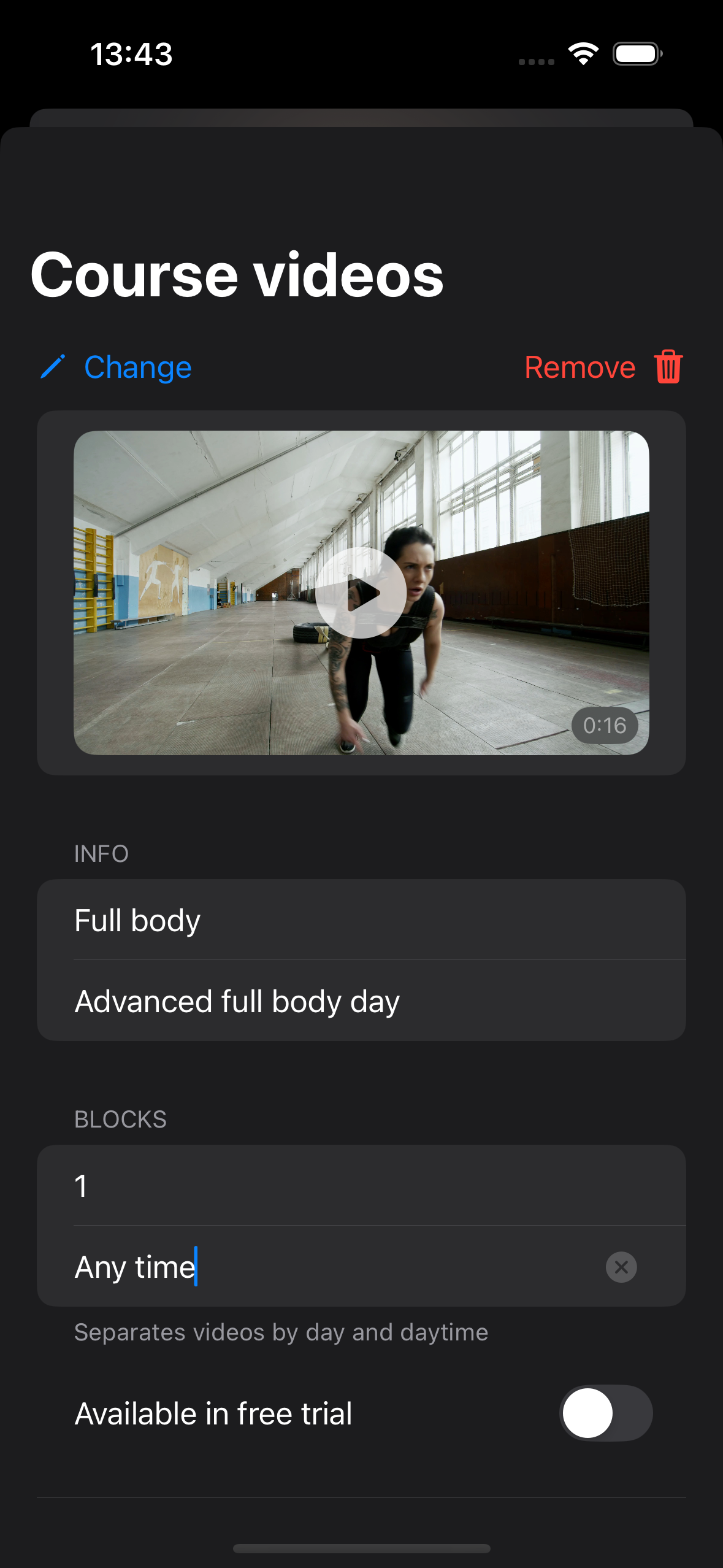
- After adding the training, you will see a button "Submit for verification" #this is another moderation of the course, which checks the originality and compliance with the quality requirements of the material.
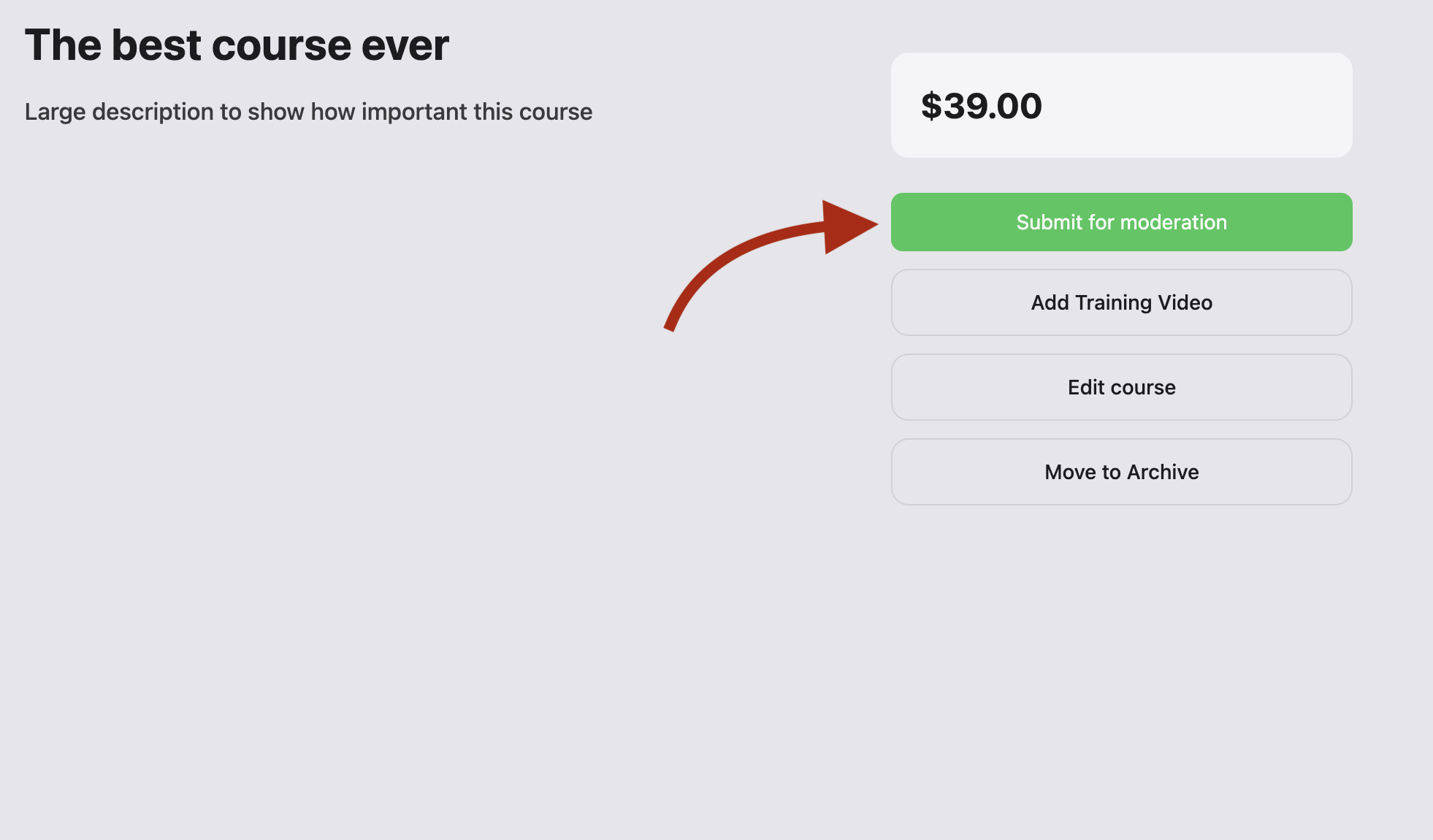
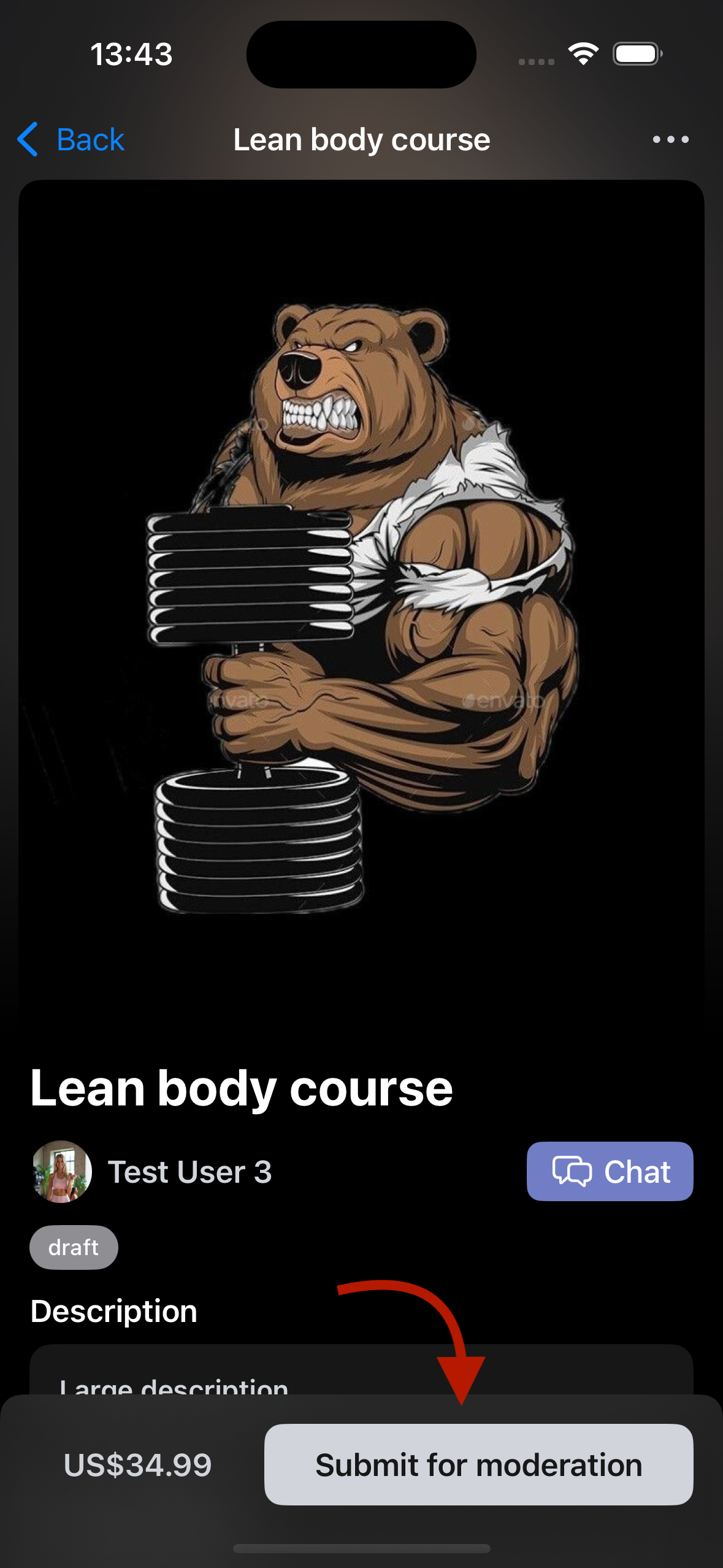
- After successful validation your course will appear in general access on the platform, congratulations 🥳
🤝 Author support
- We will help you at the start: we will design the showcase, help with texts and structure.
- Ready to transfer the course from other platforms
- We make promo: first authors get priority in recommendations.
- We are open to suggestions and cooperation
📩 Write us
If you have a course or an idea - write, we will show you everything, tell you everything and help you launch, thank you for your attention my personal Telegram: https://t.me/replacement_novol.
email: business@fitspace.app
Lending for authors: https://www.fitspace.app/landing