Consistency and accountability

Habit coaching for personal trainers

Use lightweight habit tracking for the small repeatable actions that sit between workouts and coaching check-ins.

Habit coaching and streaks

Reuse habit presets, assign daily or selected-weekday habits, and track completion and streaks without turning every task into a form.

Communication, schedule, and retention

Combine one-to-one chat, program community chat, calls, broadcasts, calendar actions, attention signals, and follow-up notifications.

Trainer problem

Habit coaching and streaks

Small repeatable actions need lighter tracking than a full questionnaire.

Client outcome

A clear next action

The client sees today's habit in What’s next, marks it complete, and follows the weekly strip and streak.

How the workflow works

  1. 1

    Choose a library preset or create a custom habit.

  2. 2

    Assign it to a client or program and choose due weekdays.

  3. 3

    Review the weekly completion grid and current streak.
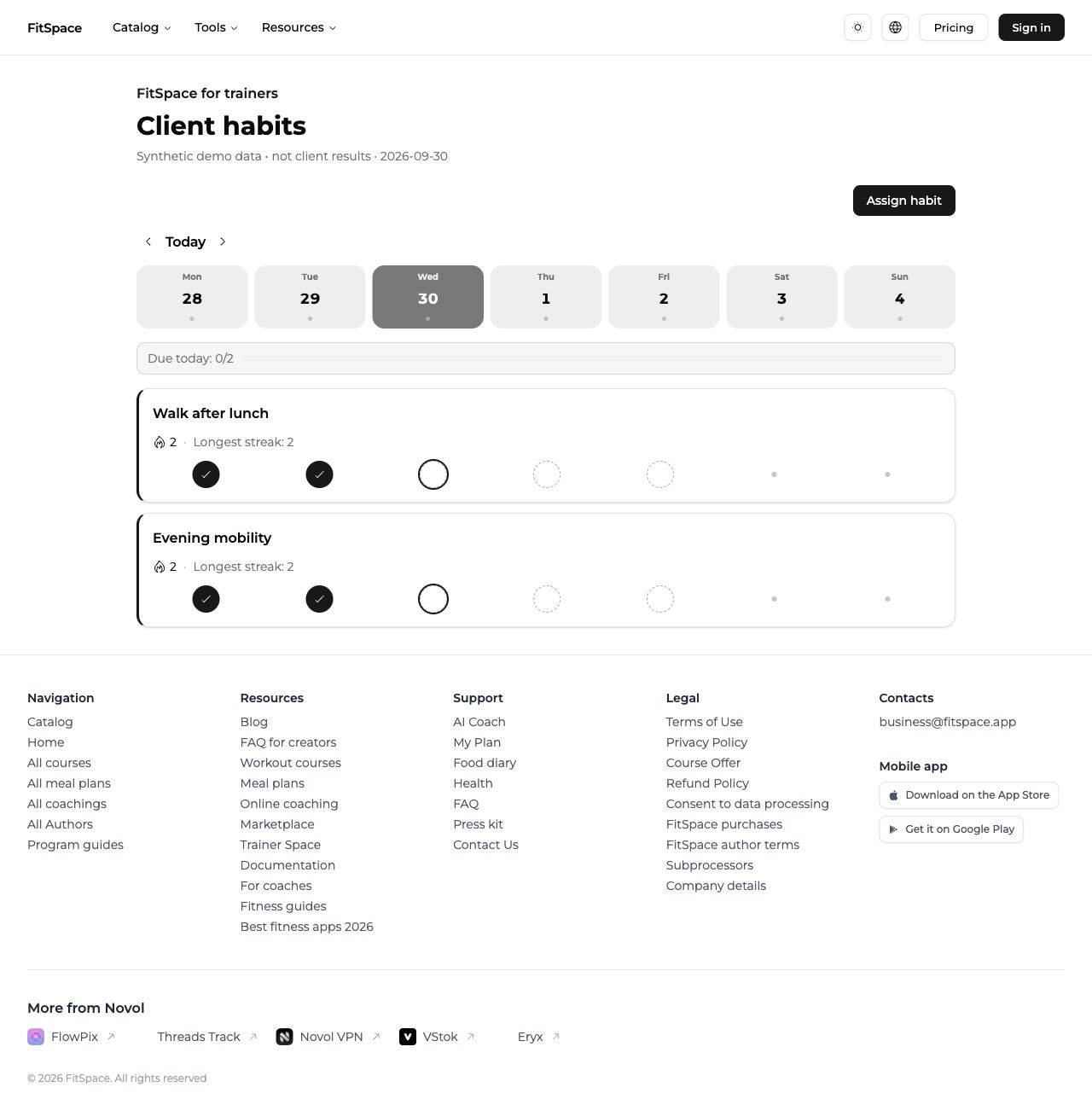
FitSpace for trainers demo interface
The interface uses safe demo data. It is not a customer case study or a claim about business outcomes.

Availability

Where the workflow is available

SurfaceHabit coaching and streaksCommunication, schedule, and retention
Trainer · WebAvailableAvailable
Trainer · iOSAvailableAvailable
Trainer · AndroidNot availableNot available
Client · WebAvailableAvailable
Client · iOSAvailableAvailable
Client · AndroidAvailableAvailable

Current release boundaries

  • A habit that is only marked as done needs no target value or unit; a numeric target needs both. If something is missing, the message names the field and explains how to leave both target fields empty.
  • In the iOS app, a habit added from a program is assigned only to that program, including a draft that is not published yet; assigning a habit to one client stays in Habits. Unsaved habit forms are kept separately for each program.
  • A habit is marked done once per due day; amounts and several completions a day are not tracked.
  • Streaks follow scheduled due days rather than every calendar day.
  • Coming in an Android app update: clients on Android see the week history of a habit and can mark it on allowed dates. As on iOS and Web, a client can change marks only for today ±1 day by UTC and on scheduled dates; older entries are read-only.
  • On iPad the chat list sits next to the open conversation when there is room. In a narrower window the conversation fills the screen and Back returns to the list.
  • On iPad, coaching clients open Home, Progress and other available sections from the sidebar; Settings and Profile are under Account. In a narrow window, the title menu switches Home sections. The Library shows one to three columns depending on the window width, and one column with large text.
  • On iPad, in a wide window the client’s Home shows the weekly schedule next to the next action. Narrow windows and large text use one column.
  • The shared community chat appears in the chat list only when at least one non-archived program has its community module turned on. Turning off the last such module or archiving its program hides the chat and leaves it out of the unread count, without deleting its history. On iOS the row is labeled Group chat. There is one shared community chat per trainer.
  • Client activity explanations and suggested next actions are available in Russian and English; other languages show English for now.
  • FitSpace does not claim a full team CRM, booking marketplace, or built-in video-conferencing service.
  • Basic automations are available from Starter: assignments when a client starts, follow-ups for missed check-ins and inactivity, and notifications about access ending and failed payments. Advanced automations and booking are coming later.
  • Notification delivery depends on the client's permissions and configured channels.
  • Coming in an Android app update: the client’s Home on Android has a month calendar, calendar links for calls and a retry when a chat fails to open. The client area uses scrollable sections like on iOS, without duplicate chats. A required check-in can be sent once all mandatory answers are filled in.
  • A call link typed without https://, such as zoom.us/j/123, is saved as https://zoom.us/j/123; the link must contain a domain. In the iOS app the program page hides Schedule call until the program has a link, and the link window closes only after the link is saved.
  • The weekly review counts dated workouts of active programs. A workout becomes missed after its scheduled day. Pending reviews and upcoming program endings are based on today's status in either week.

Questions and answers

Does FitSpace include habits as well as check-ins?

Yes. Habits are lightweight daily or selected-weekday actions with completion and streaks; check-ins are structured questionnaires reviewed by the trainer.

Can a habit be reused?

Yes. Trainers can start from common presets or save their own reusable habit library entries.

Try FitSpace for trainers

Create a trainer account, build a program, and test the complete path with a demo client before publishing an offer.

Start registration